
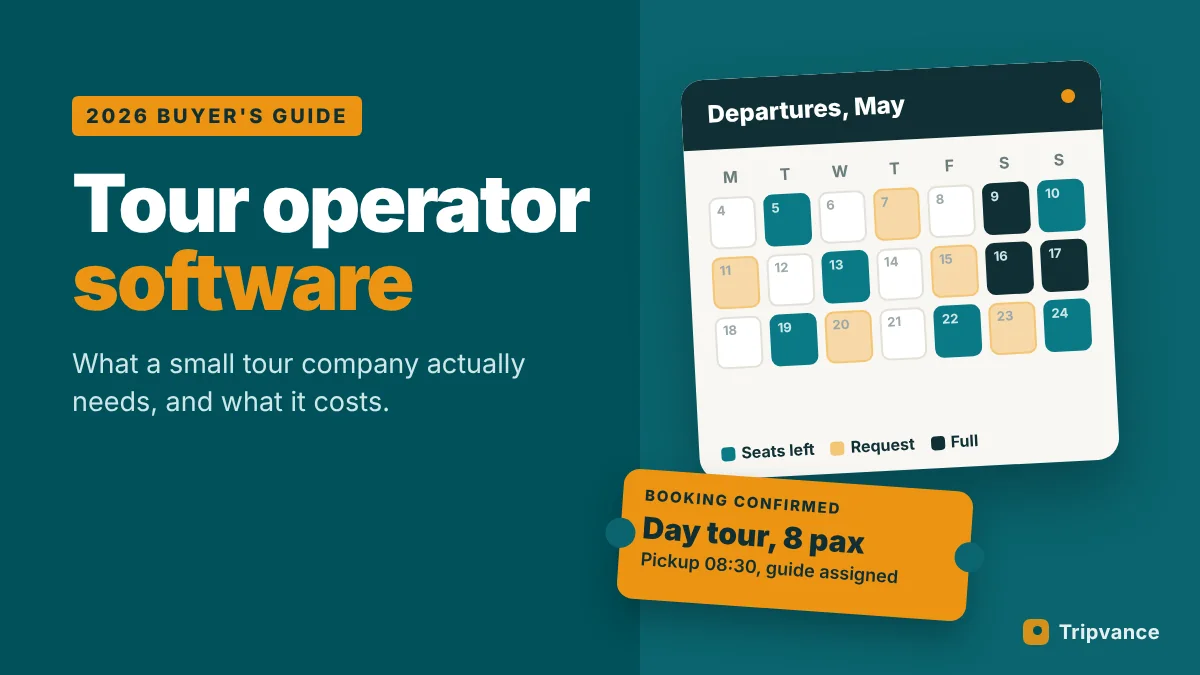
Most tour operator software is sold as if every company were a 200-guide operation with ten sales channels. A small tour company needs something else: a clear place to publish trips, a reliable way to take bookings without double-selling a departure, and fewer hours lost in spreadsheets and WhatsApp threads. This guide explains what the software actually has to do, how the main pricing models compare once you run the numbers, and how to pick a system without regretting it a year later.
The short answer
- Good tour operator software handles availability, itineraries, bookings, payments, guests, guides and invoices, and connects to resellers if you use them.
- There are three routes: a SaaS booking platform, a WordPress plugin on your own site, or a custom build.
- Pricing is either per-booking fees, a monthly subscription, or a mix. Per-booking fees look cheap at first and grow with your sales.
- If OTA channel sync (Viator, GetYourGuide) is essential, choose a platform built around it. If your own website is your main sales channel, a plugin can cost far less.
- Always test with your real trips during a demo or trial, not with the vendor’s sample data.
What tour operator software has to do
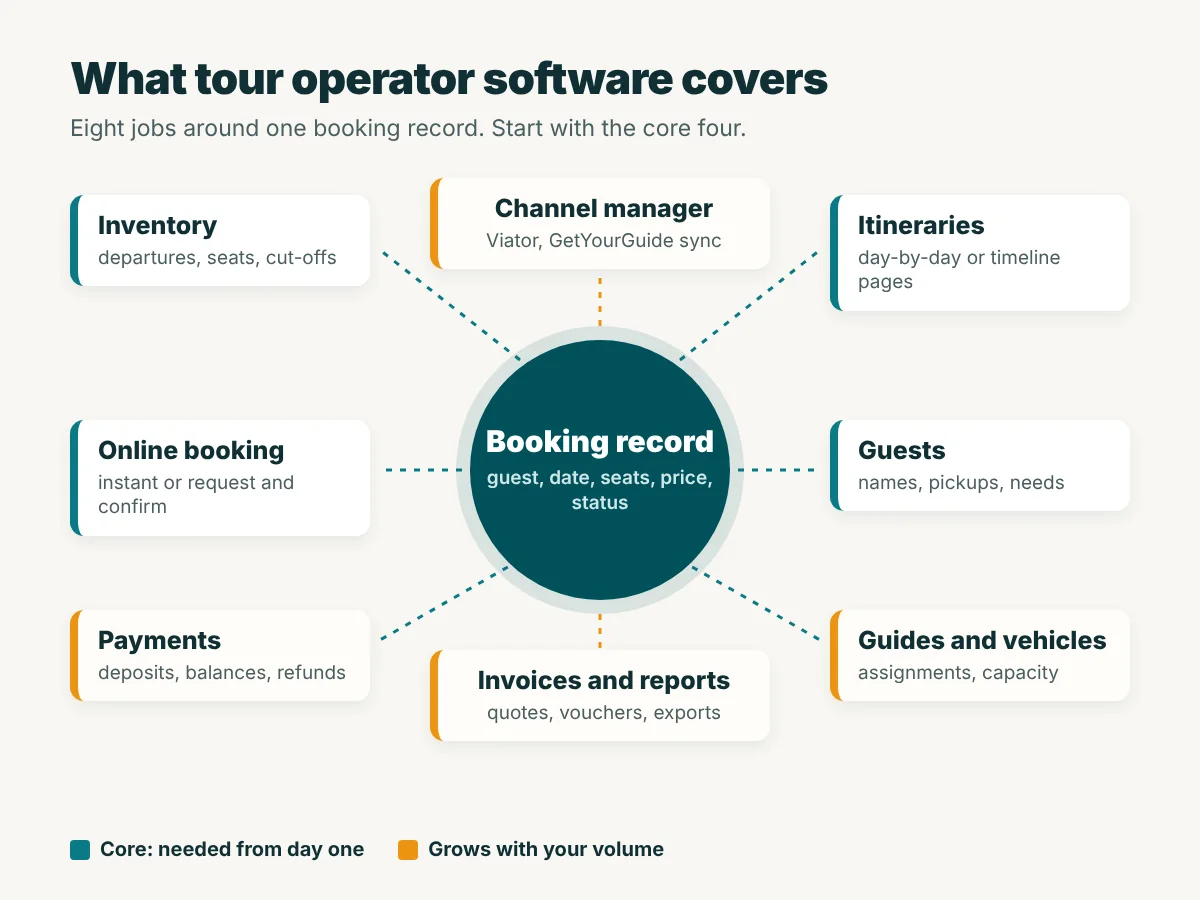
Strip away the marketing and the job list is fairly short. The question is which of these jobs you need today and which ones can wait.
Inventory and availability
Departures, time slots, seats per departure, cut-off times and blackout dates. This is the job that prevents the worst problem in the business: two groups booked into a 12-seat van.
Itineraries and trip pages
A multi-day tour needs a day-by-day plan, what is included, meeting point and a “from” price. A day tour needs a timeline. These pages are also what Google indexes, so they matter for sales as much as operations.
Online booking and payments
Instant booking with card payment, or a booking request that you confirm by hand. Instant booking converts better for short day tours. Request-and-confirm suits private, tailor-made and multi-day trips, where you check guides and hotels first.
Guests, guides and vehicles
Guest names, dietary needs, pickup hotels, guide assignments and vehicle capacity. Many small operators keep this in a spreadsheet for years; it works until the season gets busy.
Invoices and documents
Quotes, numbered invoices, vouchers and trip programmes. Check that the invoices meet the legal rules in your country before you rely on them.
Channel manager and OTA connections
If you sell through Viator, GetYourGuide or other resellers, a channel manager keeps availability in sync so a seat sold on one channel disappears from the others. Both marketplaces charge a commission per booking, and the rate varies by location, so ask for yours before you plan prices.
Reporting
Bookings per tour, revenue per month, no-show rates, where customers came from. You do not need dashboards on day one, but you do need to export your data.
SaaS platform, WordPress plugin or custom build?
SaaS booking platforms
Hosted systems such as FareHarbor, Rezdy, Peek Pro, Bókun, TourCMS and Checkfront. You get a booking engine you embed on your site, a back office and, in most cases, OTA connections.
- Pros: fast setup, mature payment flows, channel manager options, mobile apps for check-in.
- Cons: per-booking fees or monthly fees that rise with your volume, booking widget hosted on their domain, data and customer relationship partly in their system.
WordPress plugins
Tools such as WP Travel, WP Travel Engine and Tripvance add tours and bookings directly to your own WordPress site.
- Pros: trip pages live on your domain (good for SEO), low or no licence cost, no per-booking commission from the plugin, full control of design and content.
- Cons: you handle hosting, updates and backups; OTA channel sync is usually limited or absent; online payments may need add-ons or a separate provider.
Custom builds
Software made for you by developers. It fits your process exactly, but costs the most to build and to maintain. We only recommend it to operators with unusual workflows and a budget for ongoing development, not as a first system.
Best tour operator software compared: pricing models
Prices below come from each vendor’s official pricing page in October 2026. Where a vendor does not publish prices, we describe the model only. Prices are shown as each site displays them (some vendors adjust the currency by region, and Rezdy quotes prices excluding Australian GST). Payment processing fees (card fees) come on top in every case.
| Software | Type | Pricing model (official, Oct 2026) |
|---|---|---|
| FareHarbor | SaaS | No public price list. Contact sales for terms; ask who pays the booking fee |
| Peek Pro | SaaS | Custom, quote-based pricing, described by Peek as commission-based |
| Rezdy | SaaS | Subscription from $49 a month plus 3% per online booking (higher plans $99 and $249) |
| Bókun | SaaS | Free plan, then subscriptions from $49 a month plus 1% to 1.5% per applicable booking |
| Checkfront | SaaS | $99 a month plus 3% per online booking, no fee on OTA bookings |
| TourCMS | SaaS | Subscription from 45 euros a month (Small plan, 30 bookings a month) |
| WP Travel | WordPress plugin | Free core plugin, paid Pro bundle (check current price on the vendor site) |
| WP Travel Engine | WordPress plugin | Free core plugin, paid plans billed yearly, plus paid add-ons |
| Tripvance | WordPress plugin | Free on WordPress.org, no per-booking fee; Pro licence planned |
Two notes on reading this table. First, several platforms let you pass the booking fee to the customer. That keeps your invoice low, but your guests see a higher price at checkout than on your tour page. Second, OTA bookings carry the marketplace’s own commission no matter which software you use.
Commission vs subscription: a worked example
Per-booking fees feel painless when you are small. The trouble is that they scale with your success. Here is an example operator, with round numbers chosen to show the shape of the costs, not any vendor’s quote.
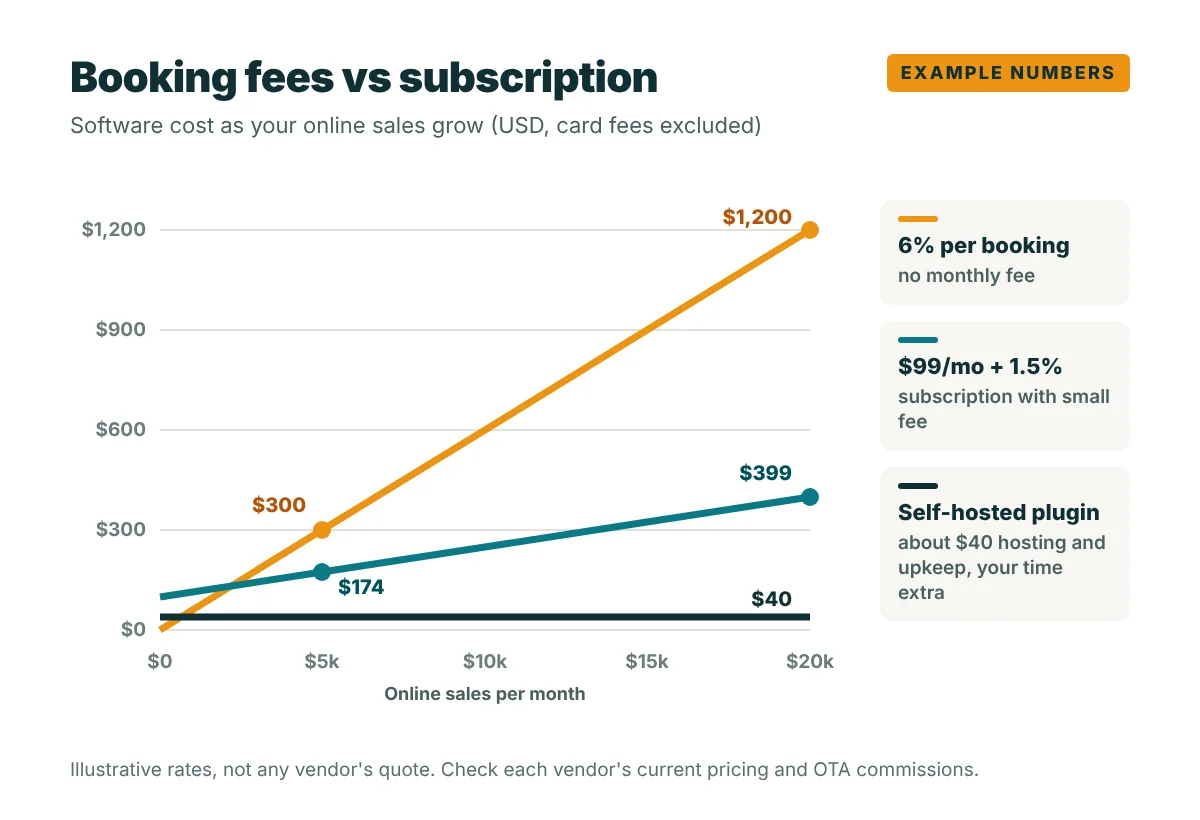
At $5,000 of online sales a month, a 6% booking fee costs $300 and a $99 subscription with a 1.5% fee costs $174. At $20,000 a month the gap is $1,200 against $399. A self-hosted plugin stays near your hosting and maintenance cost (we used $40 a month as an example), but remember that you then pay for the time to run it, and you may need a separate payment provider.
The lesson is not that one model always wins. A new operator with a few bookings a month may be better off on a pure per-booking model with no fixed cost. The break-even point is what you need to calculate, with your own average booking value and volume.
Buyer checklist for tour operator software for small business
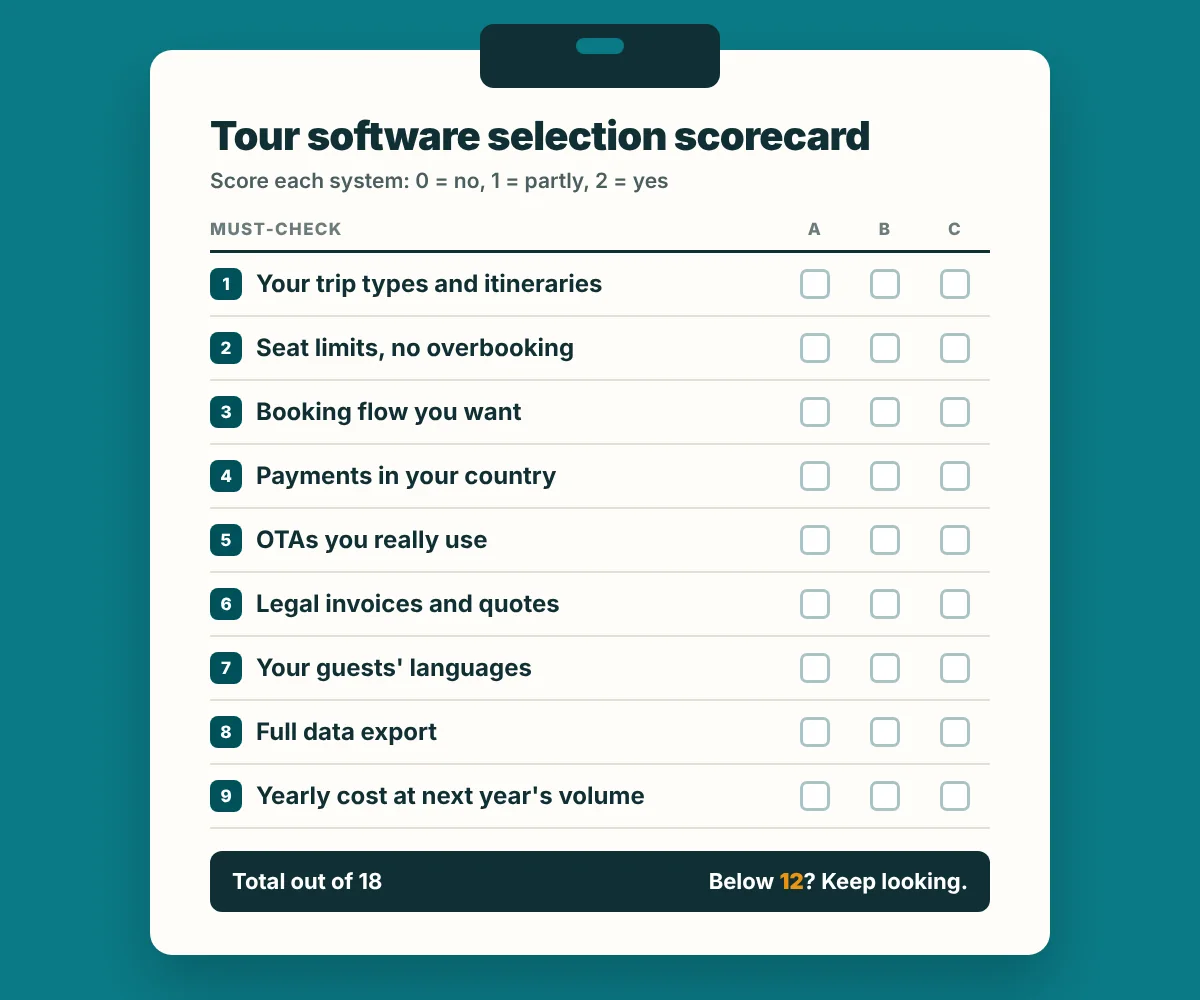
- Handles your product types: day tours, multi-day tours, private trips, transfers.
- Prevents overbooking with seat or capacity limits per departure.
- Shows itineraries the way you sell them (days or timeline) on pages you can edit.
- Supports the booking flow you want: instant booking, request and confirm, or both.
- Works with a payment provider available in your country and currency.
- Connects to the OTAs you actually use, if any.
- Produces quotes and invoices that meet your local rules.
- Works in the languages your guests speak.
- Lets you export all bookings and customers at any time.
- Has a total yearly cost you have calculated at your expected volume, not at today’s.
Questions to ask in a demo
- What exactly do I pay per booking, and who pays it? Ask for a written example at your average booking value.
- What happens to fees on bookings from my own website versus OTAs? Some platforms charge less or nothing on certain channels.
- Can I export all my data in a usable format? Ask to see an export file, not a promise.
- Is the booking page on my domain? This affects SEO, branding and analytics.
- How long is the contract, and what is the notice period? Annual commitments are common.
- Who answers support during my high season and in my time zone?
- Can you set up one of my real tours now? A live test reveals more than a slide deck.
Migration tips: switching systems without losing bookings
Switching tour booking software mid-season is the classic mistake. Plan it for your quietest month.
- Export everything from the old system: future bookings, customers, products and prices.
- Rebuild products first in the new system and check availability for the next 6 months.
- Run both in parallel for 2 to 4 weeks: new bookings in the new system, existing ones honoured from the old.
- Update every booking link on your website, Google Business Profile, social profiles and OTA listings.
- Keep the old account readable until the last old booking has travelled.
Keep your old trip page URLs when you move to a new system. If a URL must change, set a 301 redirect. Losing the pages that rank on Google costs more than any software fee.
Where Tripvance fits (and where it does not)
We build Tripvance, so here is our honest view. Tripvance is a free WordPress plugin for small and medium operators who want their tours on their own website, without a per-booking commission. It publishes tours, activities and transfers with day-by-day itineraries or timelines, group rates and a “from” price, and it collects booking requests with optional seat capacity per departure. You confirm them from an operations dashboard, issue numbered quotes and invoices as PDFs, and send travellers a private Guest Pass page. It works with Polylang for multilingual sites and includes French, Spanish and Arabic, with right-to-left layout. The full list is on our features page.
It is not the right tool for everyone. The free version is request-based: it does not process card payments itself, and it is not a channel manager, so it does not sync availability with Viator or GetYourGuide. If most of your sales come from OTAs or you need instant checkout on every booking, a SaaS platform is a better fit. A paid Pro licence with multi-site activation and priority support is planned (exporting bookings to CSV is already in the free plugin); see pricing.
Try it on your own site. Tripvance is free on WordPress.org. Install it, add one real tour and see if the booking flow suits you.
Get Tripvance on WordPress.orgSetup guides are in the documentation. Still building the business itself? Start with our guide on how to start a travel agency.
Tour operator software: FAQ
What is the best tour operator software for a small business?
There is no single best one. If OTAs bring most of your bookings, a platform with a strong channel manager makes sense. If your own website sells most of your trips, a WordPress plugin or a low-fee subscription usually costs less. Compare total yearly cost at your expected volume.
Is there free tour operator software?
Yes. Bókun lists a free plan, and WordPress plugins such as WP Travel, WP Travel Engine and Tripvance have free versions. Free plans usually limit users or features, and you still pay card processing and hosting.
What is the difference between tour booking software and a booking system for tours?
In practice they mean the same thing. “Tour operator software” usually also covers the back office: guides, vehicles, invoices and reporting, not just the online booking form.
Do I need a channel manager?
Only if you sell the same departures on several channels. If you sell only on your own website, or use one OTA with low volume, you can manage availability without one at first.
What software do day tour operators use?
Day tour operators usually need time slots, instant booking, mobile check-in and OTA sync, which is where SaaS platforms are strongest. Multi-day and private tour operators often value itinerary pages and request-and-confirm booking more.
- Rezdy: pricing
- Bókun: pricing
- Checkfront: pricing
- TourCMS: plans and prices
- Peek Pro: official site
- FareHarbor: official site
- WP Travel Engine: pricing
- WP Travel on WordPress.org
- WP Travel Engine on WordPress.org
- Tripvance on WordPress.org
- Viator: supplier sign-up information
- GetYourGuide: commission for supply partners
Last updated: October 2026